Manual authoring
Write and develop your own ideas without AI.
Explore the workflow from the first idea to the shoot and review.
Bring productions, tasks and shoot days together. See the team’s progress and your own work in one overview.
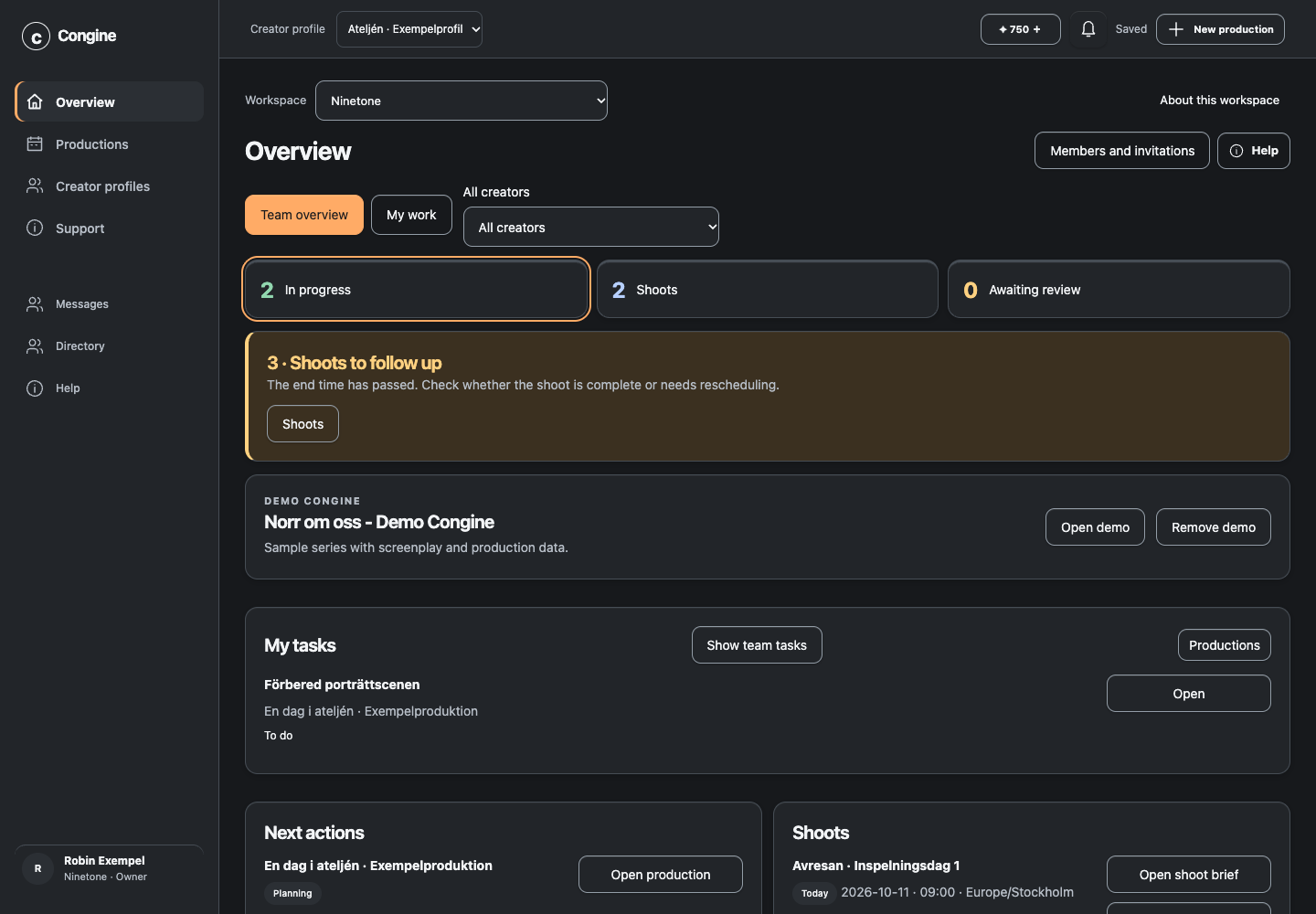
Briefs, material, responsibilities and next steps belong to the production. Open scripts, planning and review when you need them.
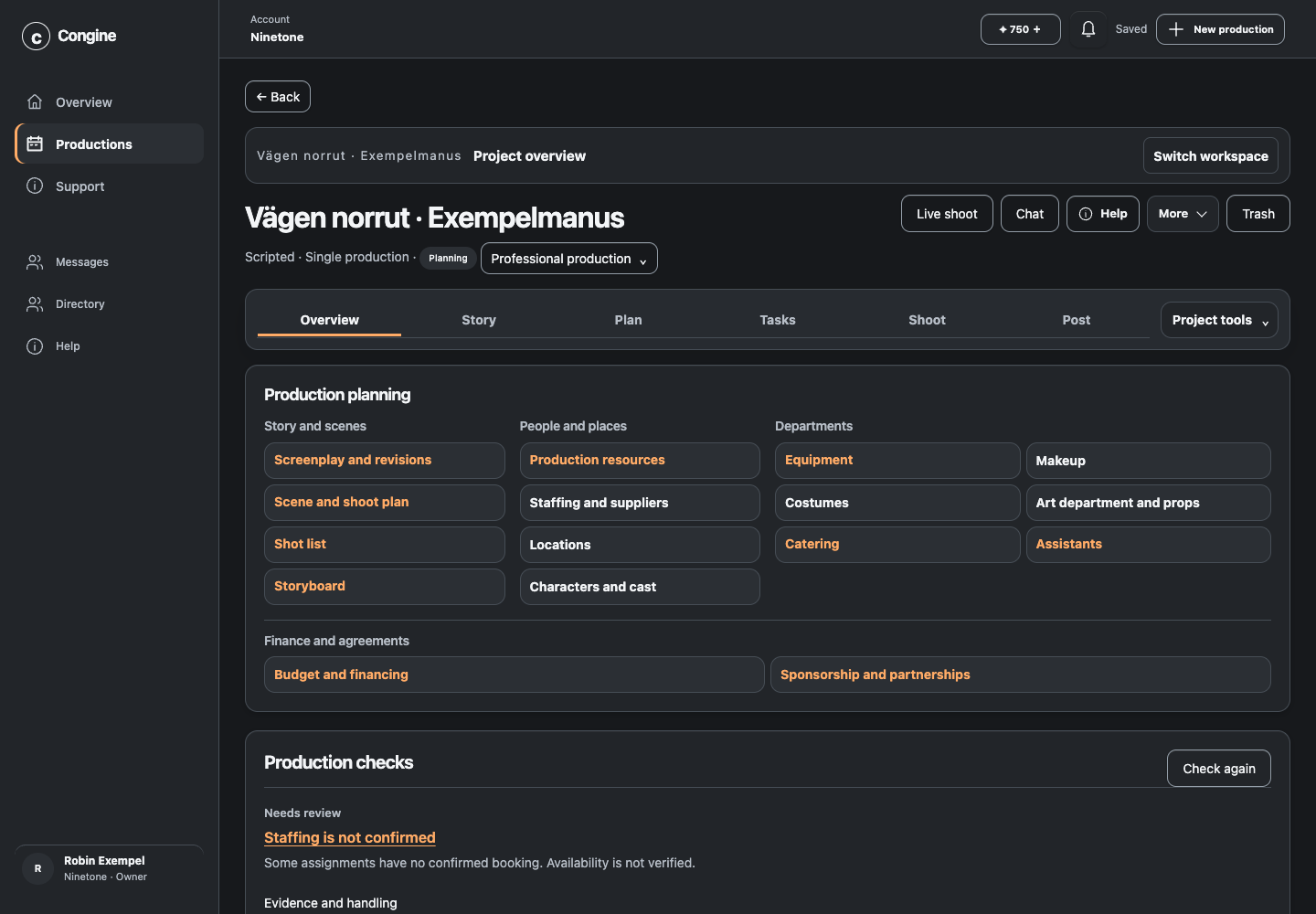
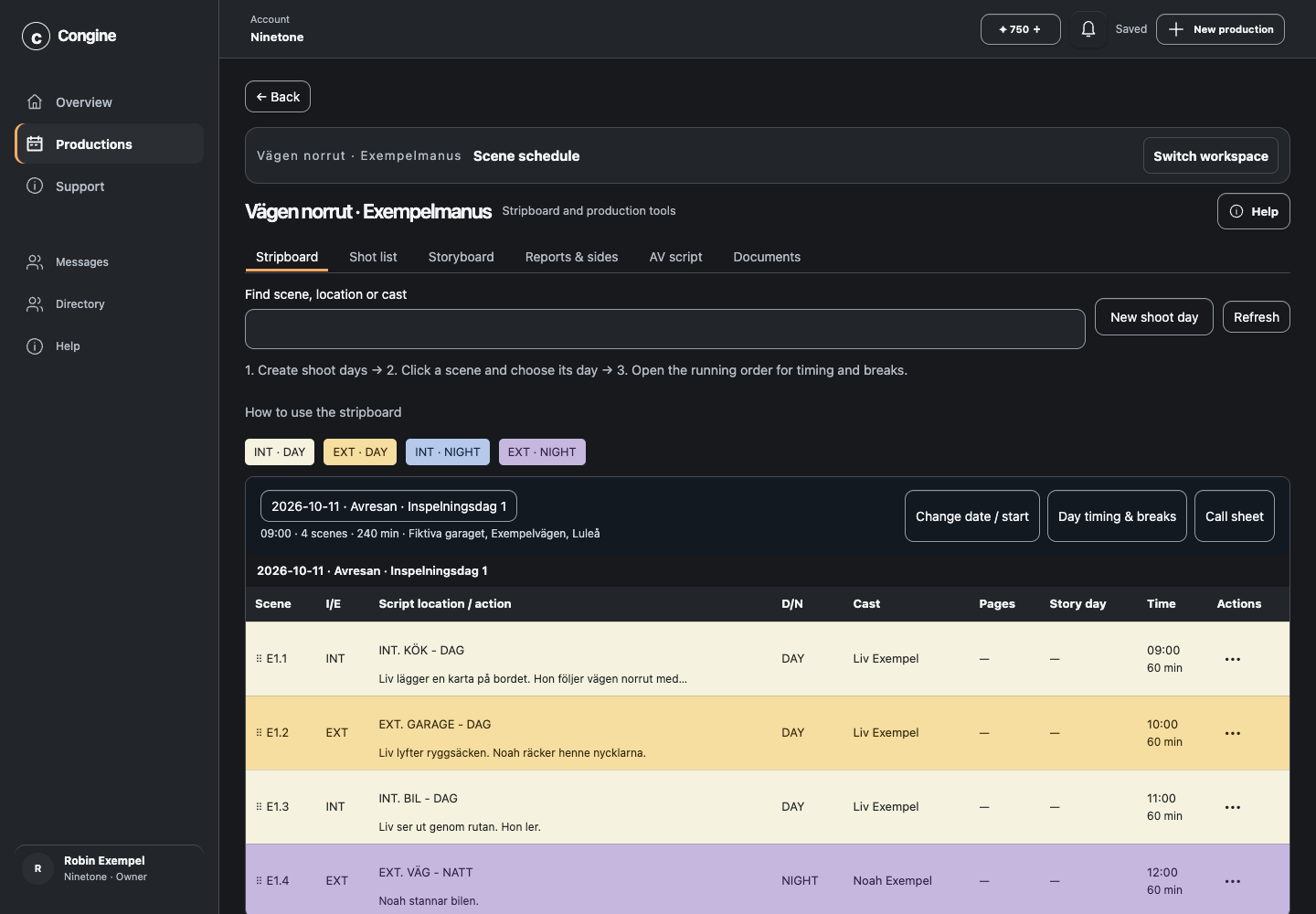
See scheduled and unscheduled scenes and organise them across shoot days. Review changes before saving them.
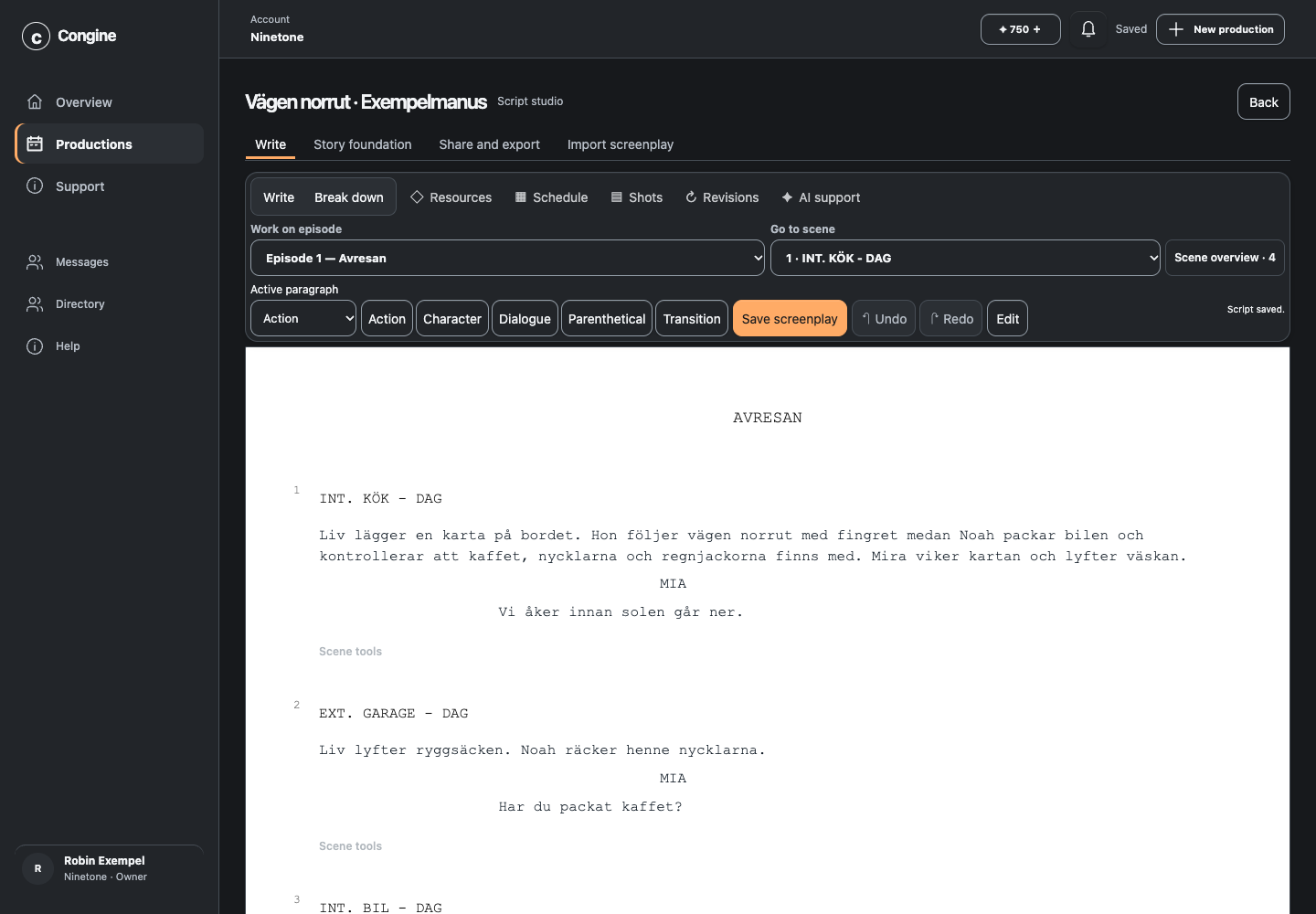
Work with scripts, scenes and dialogue. Import existing material and keep it connected to production resources and planning.
Write and develop your own ideas without AI.
Develop suggestions from a brief, audience and production constraints; review the results.
Keep creative style and audience context separate from people and productions.
Explore formats and adapt them to your production.
Channel and trend data use public information and API quotas.
Manual work uses no AI coins; AI cost is shown before starting.
Add a custom cover or use image assistance.
Creative material and production planning belong to the same work object.
A simple video can be planned without a mandatory screenplay or scene departments.
Maintain links between series content and planning.
Workflow for longer scripted productions; capacity depends on the plan.
Workflow for short serial formats; video is created in external tools.
Choose from a wide range of dark and light system themes to work in an environment that feels comfortable for your eyes.
Edit screenplays and dialogue within the production.
Import scripts from PDF; scanned and unusual PDFs require additional review.
Import screenplay data and review external format variants.
Export scripts for continued work and sharing.
Manage saved screenplay versions and revision work.
Connect scenes and characters to participants and resources.
Prepare input for video models; Congine does not render the video.
Plan shots and link them to shoots and scenes.
Organise visual planning and references within the production.
Work with scene-based shooting schedules.
Plan dates, times and goals for shoot days.
A shoot can cover multiple parts, scenes and episodes.
Organise multiple locations within a production or shoot plan.
Save addresses, contacts, references and booking status.
Open location information in a map service; external services require configuration.
Organise sequence, timings and preparation.
Review a replanning proposal before applying it; no external booking is made.
Choose people by job function and assign responsibilities.
Show relevant information for a person’s duties and access.
Bring production planning material to the shoot.
Optional one-way export to a separate Congine calendar.
Export planning for external calendar workflows.
Check the primary location forecast within 96 hours, with source and freshness.
Assign work, responsibilities and next steps.
Rule-based checks flag selected issues; no automatic completeness guarantee.
The workspace is the access boundary for customers and teams.
Owners, administrators, editors and viewers have different permissions.
A person can have multiple job functions without automatically gaining access.
Register participants and crew without creating an active account.
Use people across staffing and production contexts.
Department-specific tools for makeup, costume, camera and production design.
Link references to scenes, characters and resources.
Organise working material and references with relevant scenes and participants.
Connect resources and working material to the production.
Role-specific access to production information and resource work.
Job functions and department participation within the production team.
Read-only participants use no paid editing seats.
Qualifying department editors without team administration use no paid editing seats; host quotas apply.
Invite partners to a shared workspace while retaining separate personal workspaces.
Manage outstanding work when team access changes.
Search, small attachments, polls and archives with access control.
Tasks and shoot information are shown according to personal context.
Polling refreshes views; instant delivery or OS push is not guaranteed.
Edit costs, tax and contingency with calculated totals.
Every save creates history; an older version can become a new draft.
Financial information requires sharing and an authorised job function.
Congine CSV in Swedish/English or JSON is reviewed before saving.
Organise relationships and production-related information.
Organise sponsorship and funding information with separate access.
Link videos hosted externally and organise versions around the production.
Organise comments and review decisions alongside cuts.
Organise publishing material and links.
Check preparation; users publish through their own channels.
Save results and lessons for the next production.
Retrieves authorised, bounded production excerpts; review AI answers.
Swedish and English task guides and presentation mode.
First-line support with human escalation.
Two languages in workflows and help; AI results require language review.
Use the web interface on desktop and mobile; install on the home screen.
Accounts, invitations and recovery through a configured email provider.
Google connection is a separate, optional choice.
Checkout, customer portal and quota controls; current checkout shows the price.
Export and import an independent copy within 48 MiB; external files and accounts are excluded.
Archiving and recovery according to object lifecycles.
App and primary database in Finland; external providers have their own data flows.
Closure or erasure requests are reviewed by authorised staff.
Customer, user, partner and operations tools with privileged access.
Daily account snapshots and separate production ZIP exports offer different backup paths. Availability and recovery depend on the operational configuration.
Congine runs on Google Cloud Platform with Cloud Run support for automatic scaling. Actual capacity and performance depend on deployment configuration and load.
Planned capacity expansion with migration and recovery checks.
Planned capacity expansion, not a delivered studio commitment.
Leave your email for a personal invitation. Your trial starts when you create a workspace. Afterwards, you actively decide whether to continue with a subscription.